

Aggregated Dataset
The dataset generated through data aggregation is referred to as an aggregated dataset. It involves performing pre-aggregation calculations on existing datasets, transforming large tables into smaller ones for data analysis purposes.
Create Aggregated Dataset
Create a new dataset.
Navigate to the dataset page, click on "Create Dataset," and select Data Aggregation.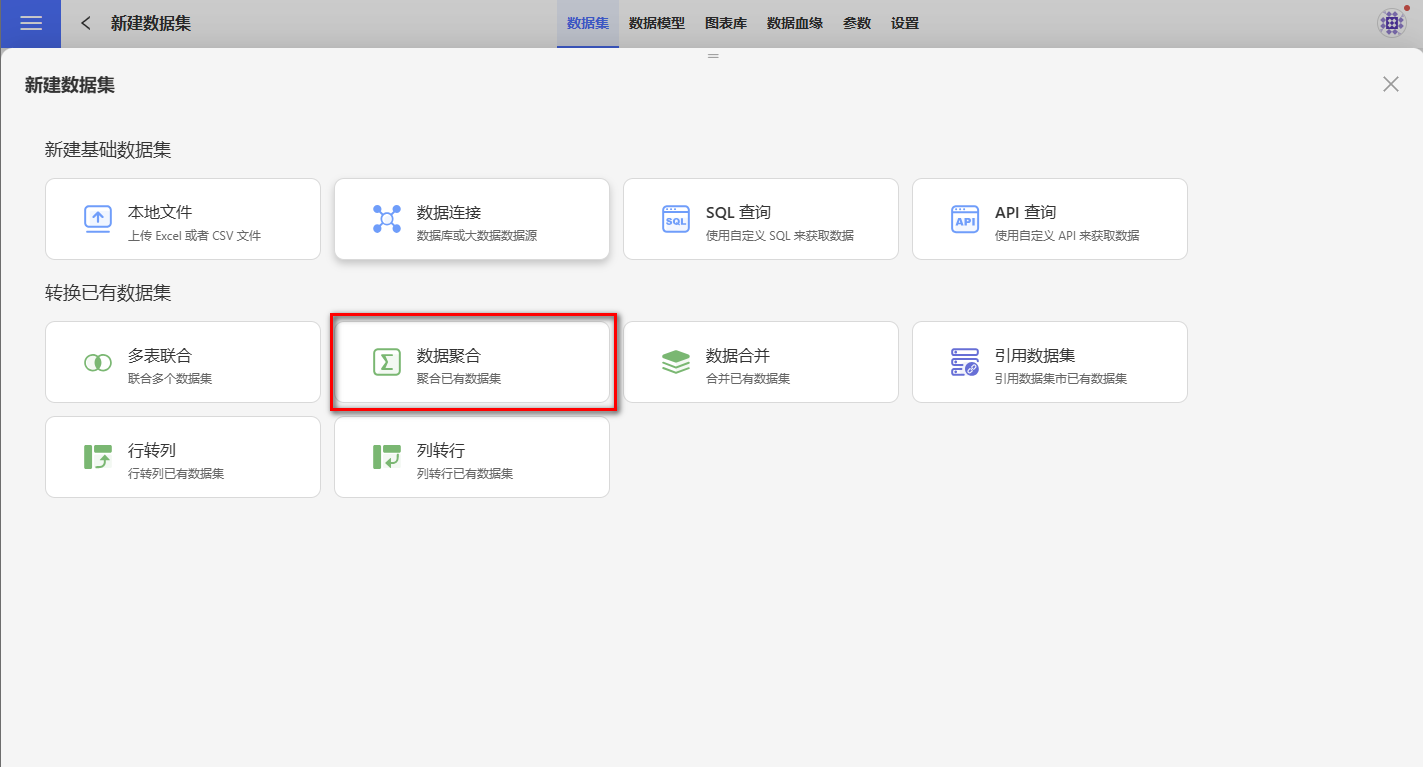
Select a base dataset.
Choose a dataset from the available datasets to proceed to the next step. If the selected dataset is a model table, the entire model will be included.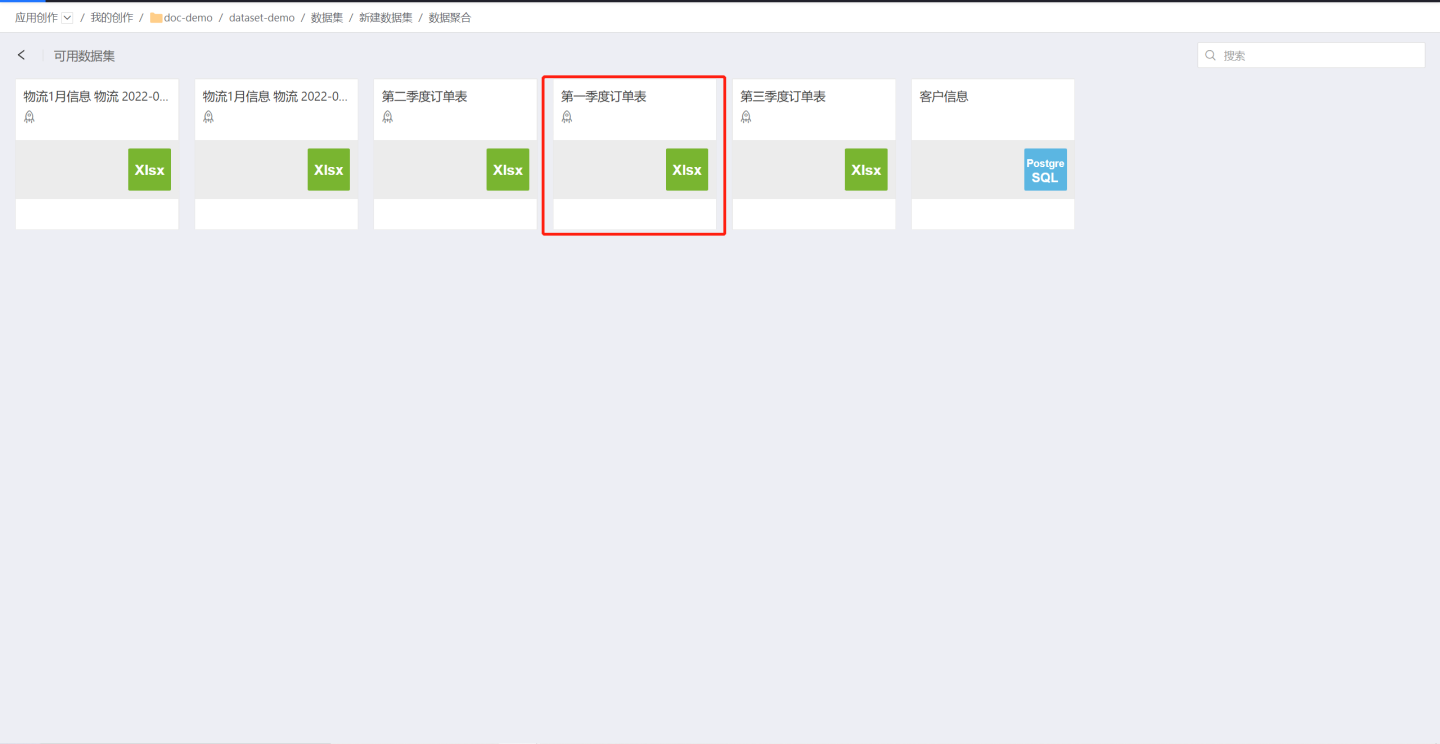
Edit the aggregated dataset.
Drag dimensions, measures, and filter-related information to create the aggregated dataset. Dimensions allow dragging in fields, measures allow dragging in fields and metrics, and filters allow dragging in fields, metrics, and in-chart metrics. Additionally, parameters and user attributes can be used in filter expressions.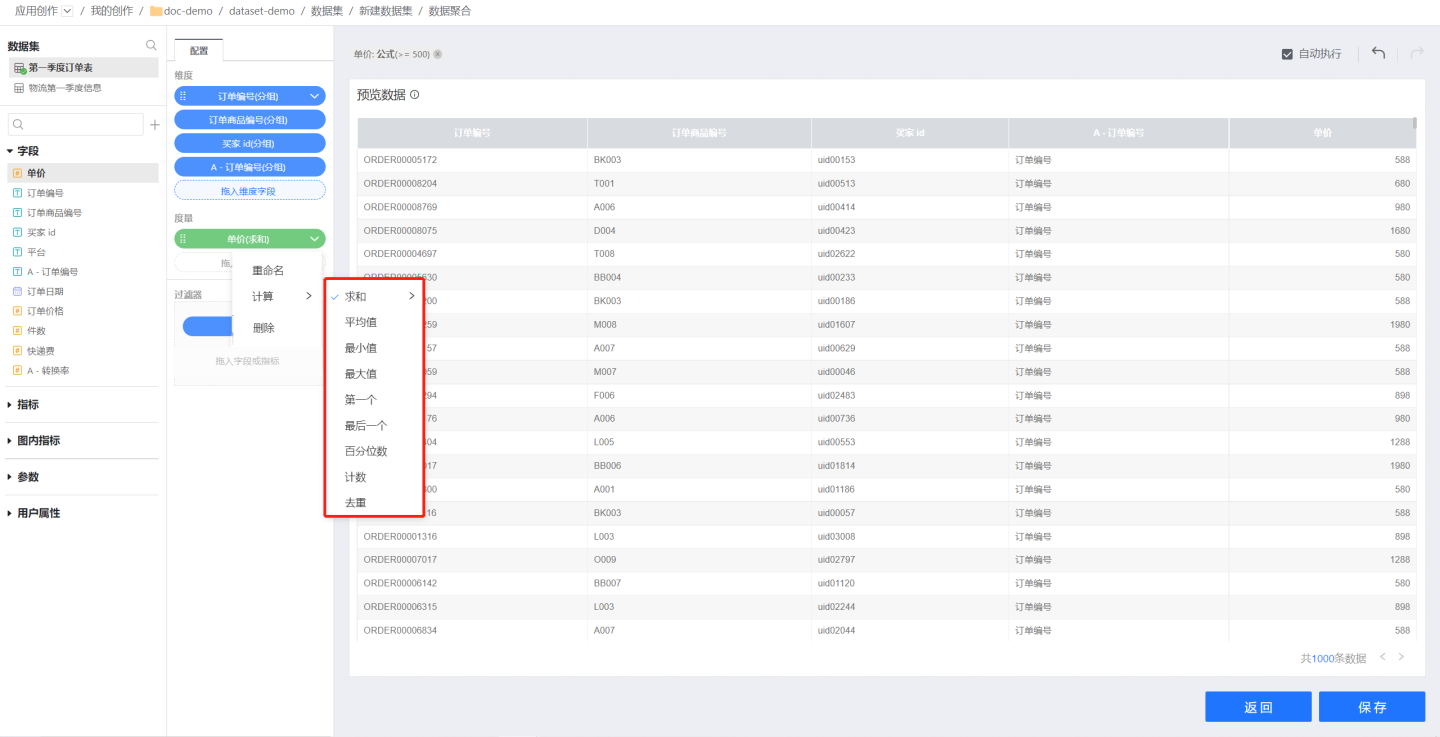
The following operations are supported during editing:- When "Auto Execute" is enabled, aggregated data will be previewed in real-time. When disabled, data preview will pause. You can preview the data after completing all operations.
- The "Undo" and "Redo" buttons support quick operations.
Save the data to complete the dataset creation.
Description
- Aggregated datasets can enable the acceleration engine to speed up calculations and rendering during data visualization.