

Security Policy
A security policy is a set of security controls applied to all users in the system and can only be configured by the system administrator.
Navigate to Settings -> Security Management -> Security Policy.
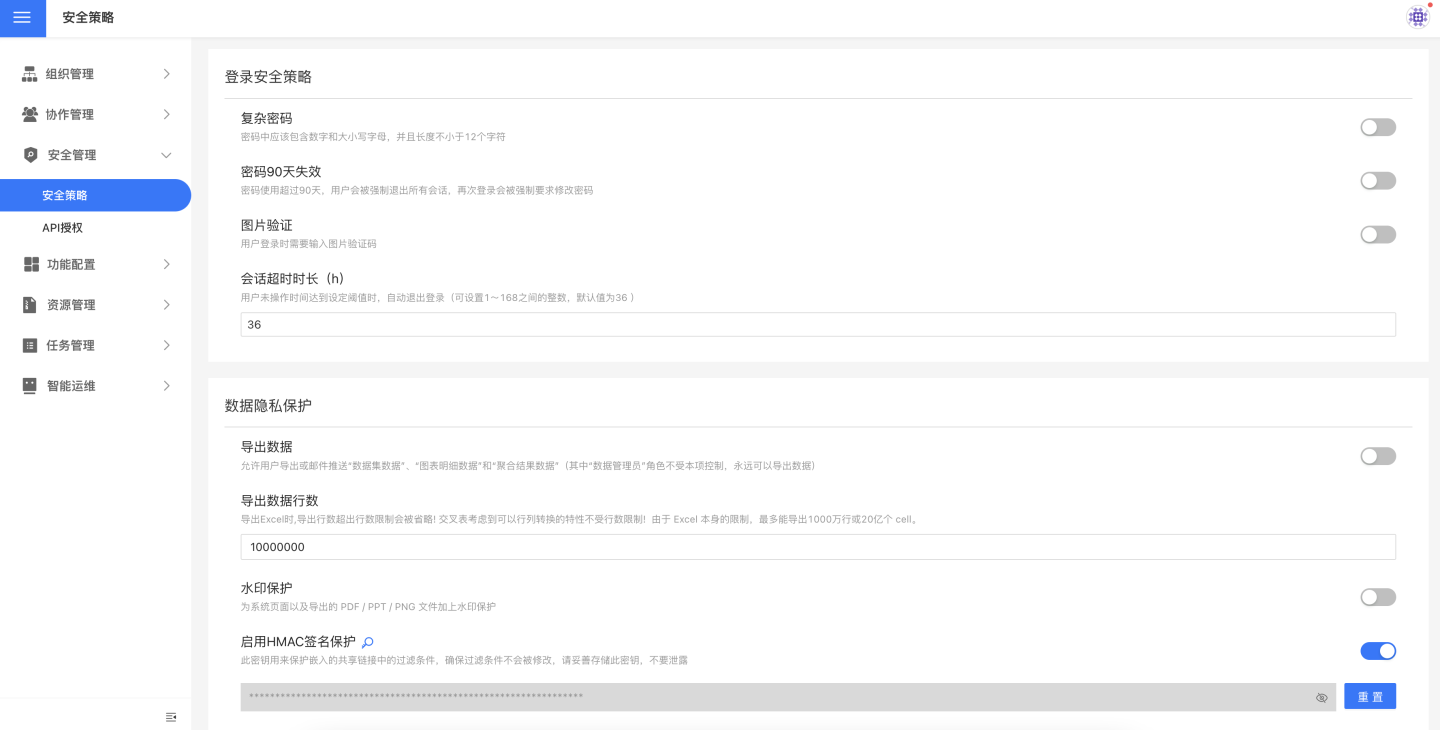
Login Security Policy
Enable Complex Passwords
Once enabled, users must enter a compliant complex password when changing their password.
Password expires every 90 days
The password is valid for 90 days; after that, users will be forced to change it upon login.
Enable Image Verification
Once enabled, users must enter a verification code based on an image when logging in.
Session Timeout Duration
Users can configure the session timeout duration according to their business scenarios. When the system has been inactive for the specified period, it automatically logs out and redirects to the login page.
The timeout can be set between 1 and 168 hours. The default is 36 hours.
By default, once a session timeout is configured, the server-side session lifetime is governed by this setting, whereas the browser-side Cookie still retains a relatively long expiration. To ensure the session expires immediately after all browser tabs are closed, set the environment variable SESSION_COOKIE_MAX_AGE = -1 to a negative value.
Data Privacy Protection
Allow Data Export
Enabled by default, this option lets users export or e-mail Dataset data, Chart detail data, and aggregated results. You can specify which users are allowed to export data and which are not.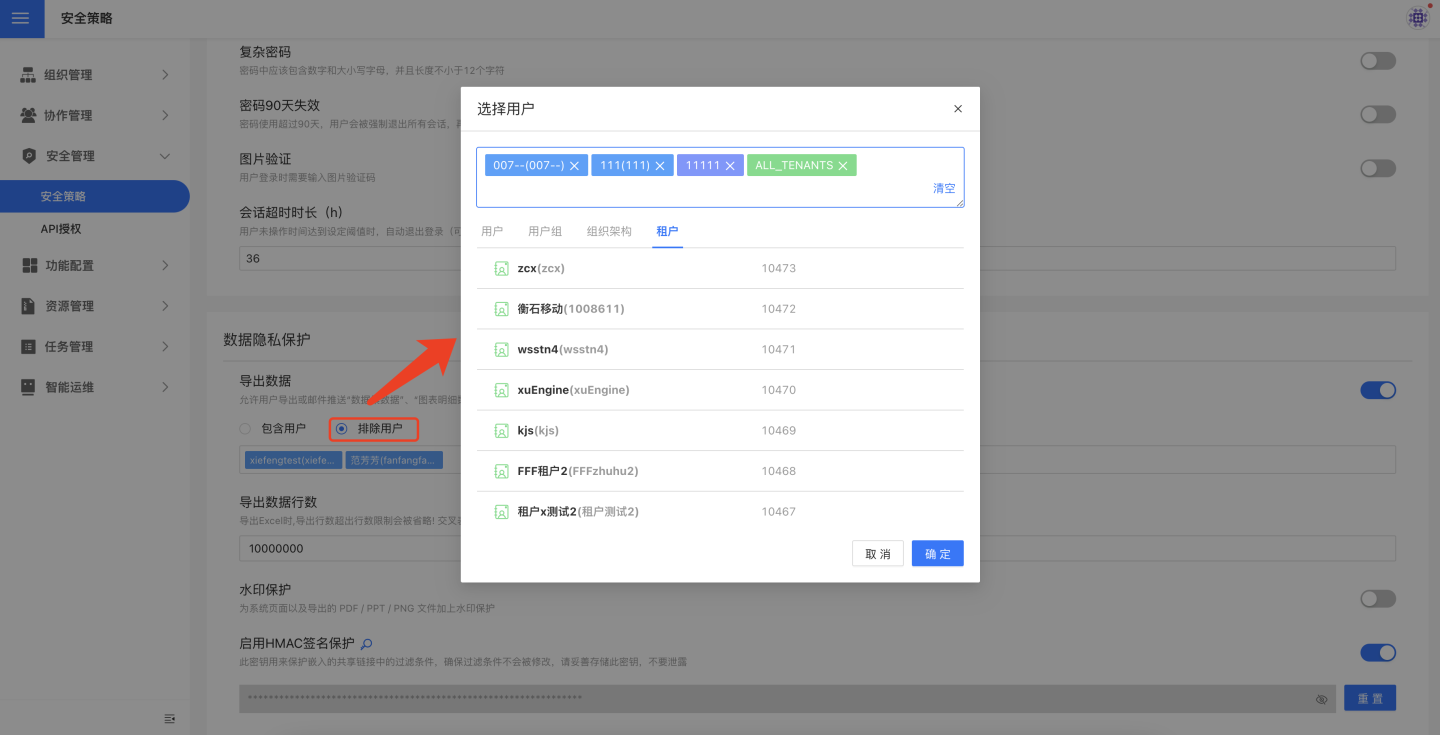
When disabled, no user can export data, and e-mail delivery will not send Excel files containing Chart aggregated results.
This feature is designed to prevent unauthorized data exports.
Export Row Limit
The row limit is designed to let users export a sample of the data while preventing the bulk or full export that could lead to large-scale data leakage.
Because of Excel’s own constraints, an exported file cannot exceed 10 million rows or 2 billion cells, so the allowed range here is 1–10,000,000.
Tip
Each sheet in the exported file is capped at 1 million rows; any excess is placed in additional sheets. For example, a 3.5-million-row dataset will be split across 4 sheets.
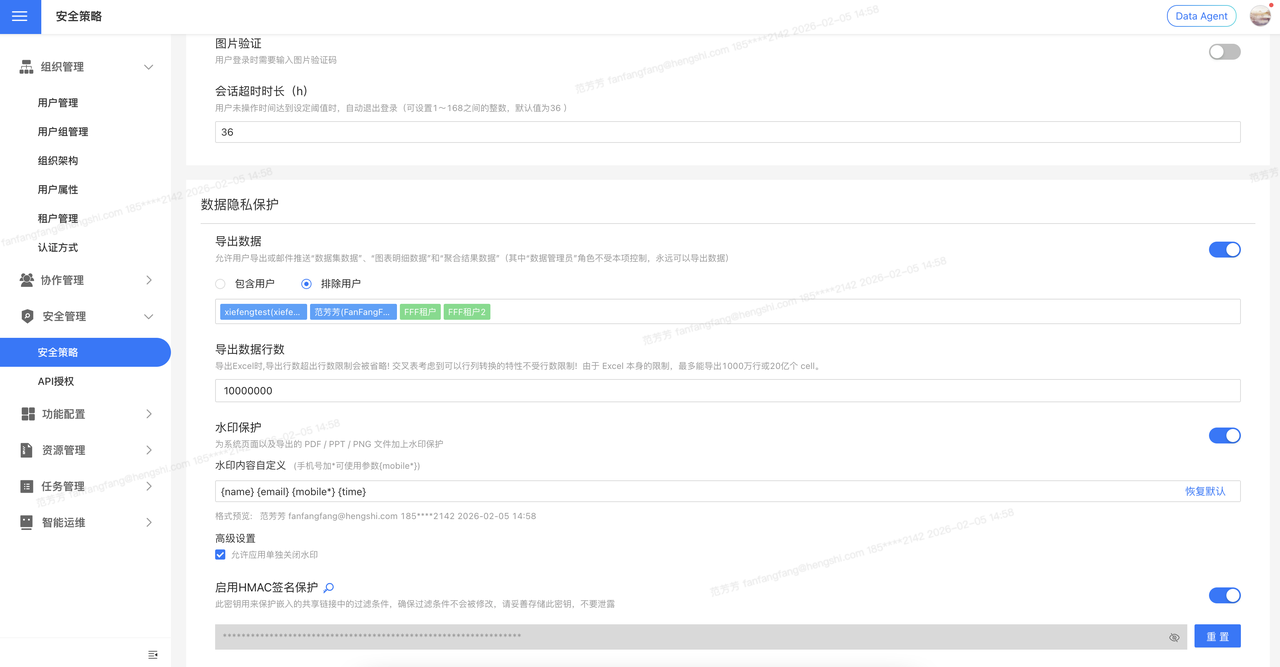
Enable Watermark Protection
Once the watermark is enabled, it will appear on every page of the system.
In addition, when users export to PDF/PPT/PNG, the watermark will also be embedded in the exported files.
Global Watermark Settings
The watermark configuration in this system follows the principle of "global priority with flexible delegation":
- After enabling "Watermark Protection" in System Settings, the watermark is applied to all Apps and pages by default; this is a global setting.
- If the global setting is disabled, no App will display a watermark, and it cannot be enabled individually.
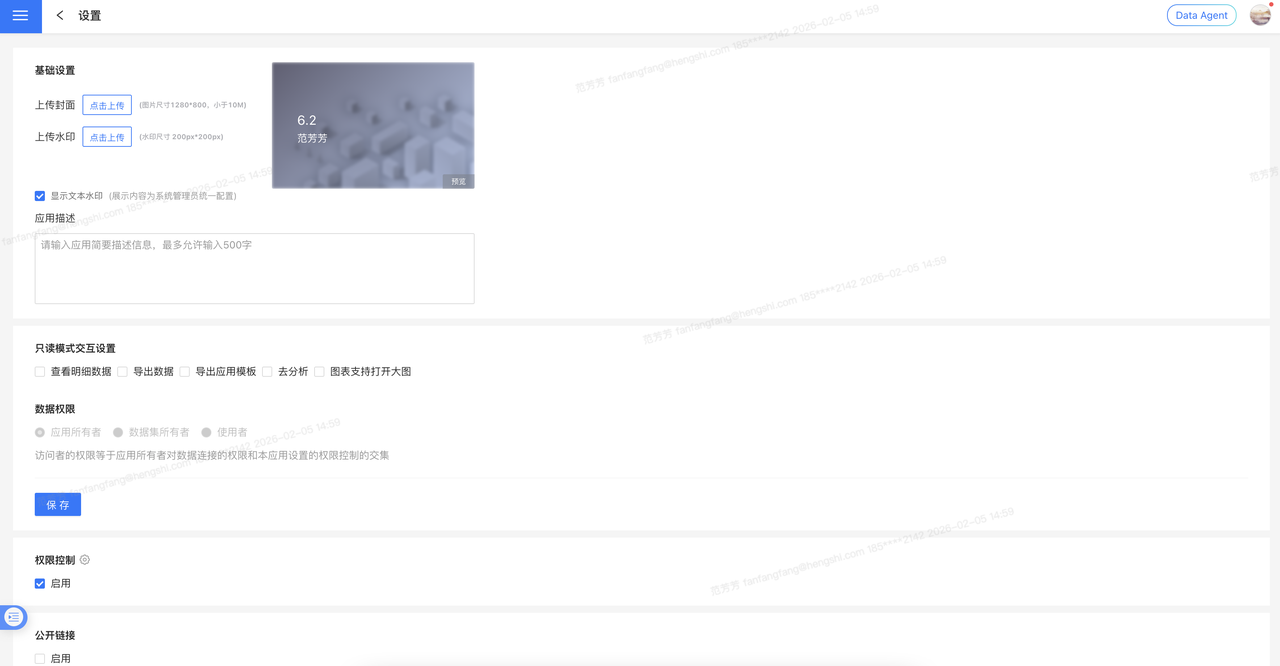
Disable Watermark per App
When the global switch is on, you can enable "Allow apps to disable watermark individually" in "Advanced Settings". After this option is activated, app administrators can decide—based on business needs—whether to hide the watermark within their app.
Note
If the global setting is turned off, no app will display a watermark, and individual apps cannot turn it on.
Custom Watermark Content
The system supports highly customizable watermark content to meet various compliance requirements.
Default watermark content format:
{name} {email} {mobile} {time}Supported variable parameters:
| Parameter | Description |
|---|---|
{name} | Username of the currently logged-in user |
{email} | Email address bound to the currently logged-in user |
{mobile} | Mobile number of the currently logged-in user (displayed in full) |
{mobile*} | Mobile number of the currently logged-in user (middle 4 digits masked with *) |
{time} | Real-time system timestamp when the user accesses the page |
Customization examples:
- Show only username and time:
{name} {time} - Masked mobile number:
{name} {mobile*} {time} - Fixed text + variables:
某某科技公司 {name} {time}
Modified watermark content can be restored to the default setting with one click.
Enable HMAC Signature Protection
This key is used to protect the filters in public links, ensuring that the filters cannot be tampered with. Once this key is leaked, users can encrypt filters with the HMAC key and query any data.
For details, see HMAC Signature Protection in App Setup.