HENGSHI SENSE Hierarchical Integration Embedding Guide
As a BI PaaS open capability platform, HENGSHI SENSE provides a variety of ways for SaaS application vendors, industry software vendors, and solution providers to embed HENGSHI SENSE's functionalities into their own applications within business scenarios.
Quick Start
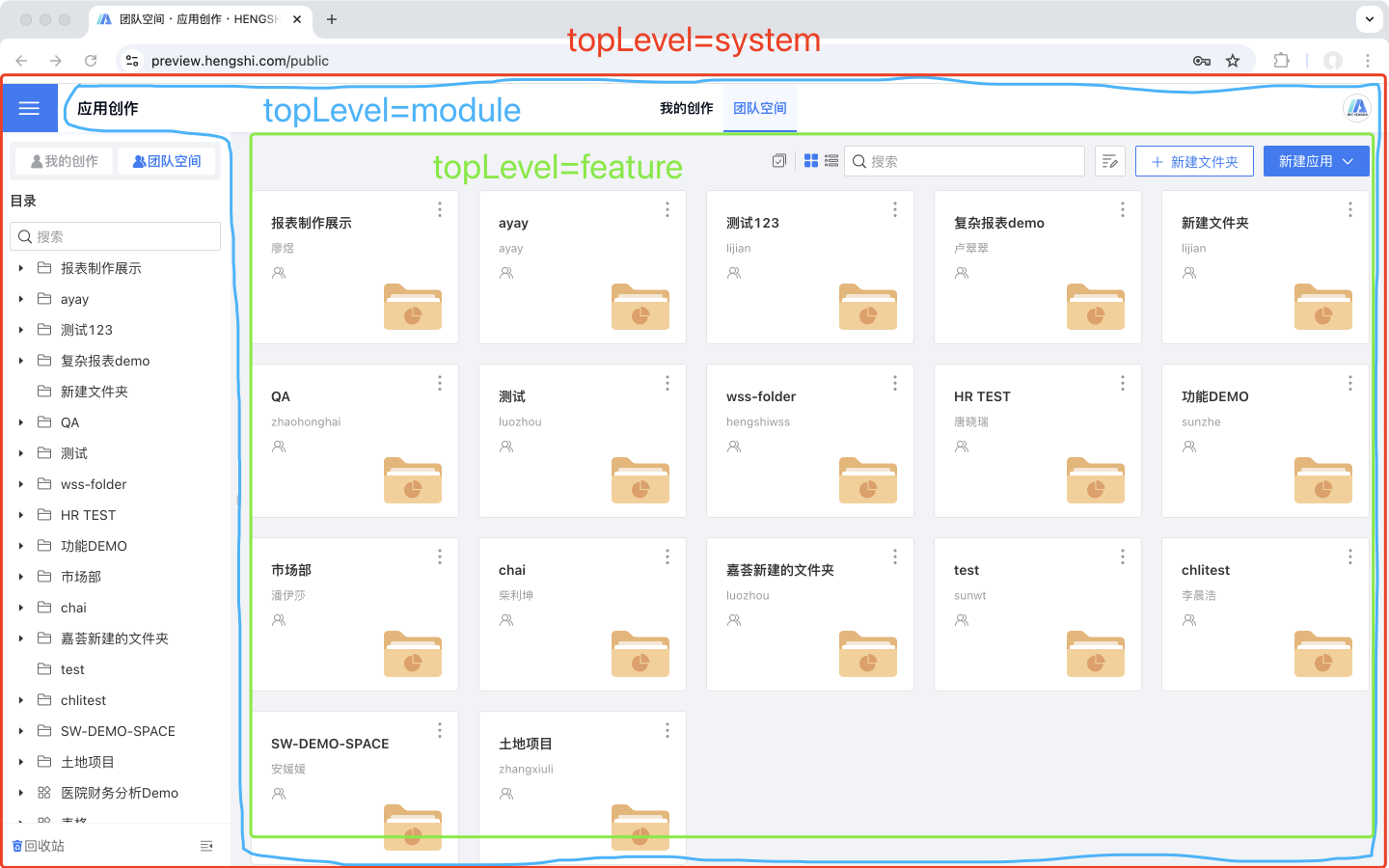
As shown in the figure, you can embed the functionality of HENGSHI SENSE into your own application using an iframe.
Example code:
<iframe
  name="topLevel=system"
  src="https://preview.hengshi.com/app">
</iframe>Embed the Entire Platform
Use name="topLevel=system" to embed all the platform's features.
<iframe
  name="topLevel=system"
  src="https://preview.hengshi.com/app">
</iframe>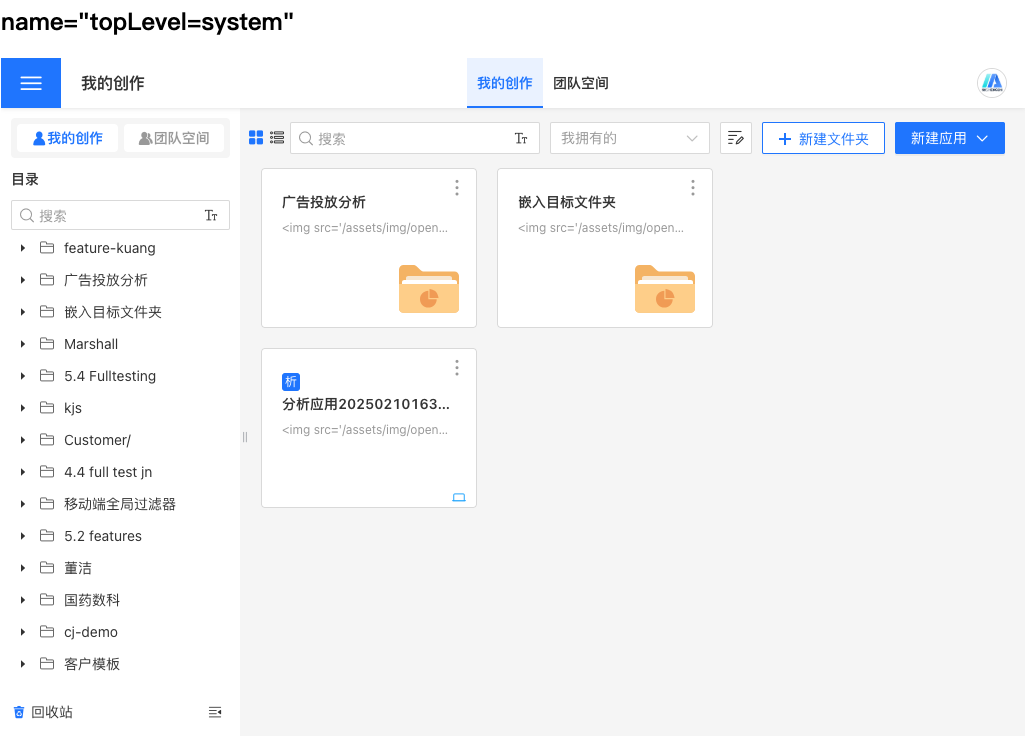
Embedding a Single Module
Use name="topLevel=module" to embed top-level features (such as App Market, App Creation, Metric Analysis, Dataset Market).
<iframe
  name="topLevel=module"
  src="https://preview.hengshi.com/app">
</iframe>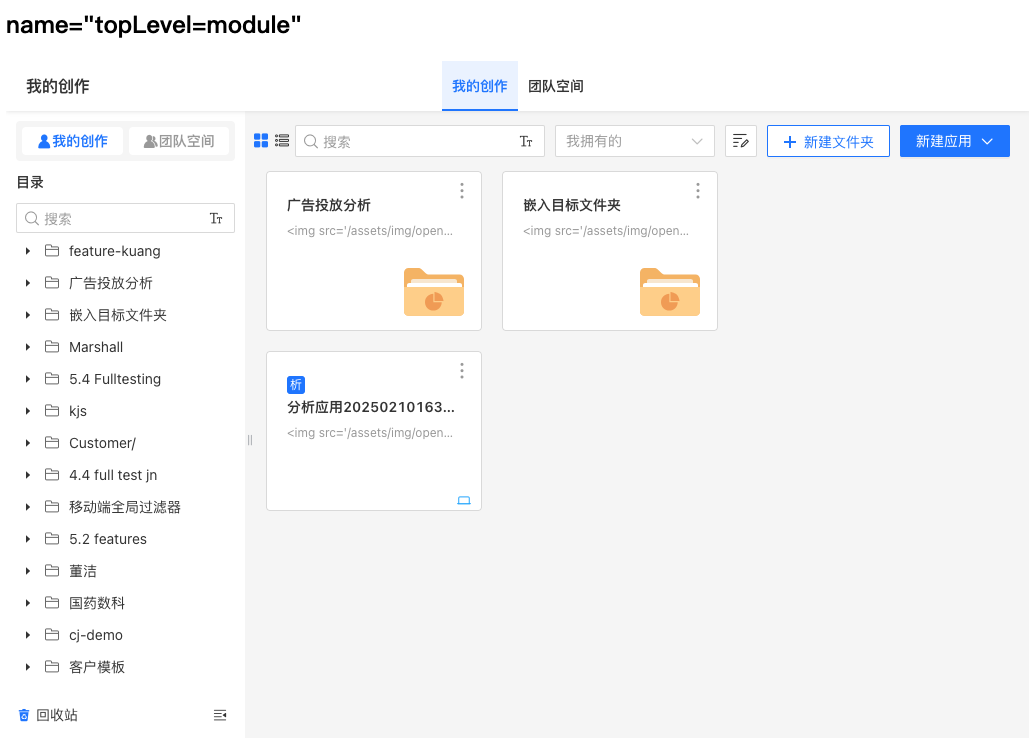
Embedding Features within Modules
Use name="topLevel=feature" to embed secondary features (such as My Space, Public Space, My Creations, Team Space, Metric Analysis, Metric Marketplace, Metric Management).
<iframe
  name="topLevel=feature"
  src="https://preview.hengshi.com/app">
</iframe>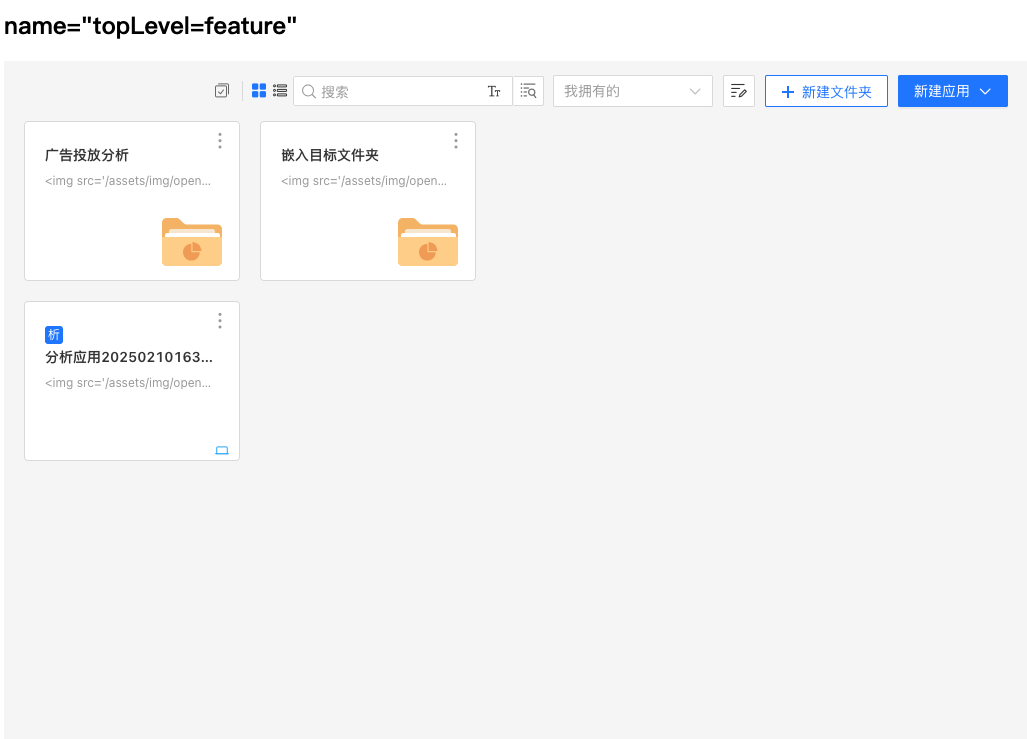
Embed a Single App
Use name="topLevel=app" to embed a single app.
<iframe
  name="topLevel=app"
  src="https://preview.hengshi.com/app/123456">
</iframe>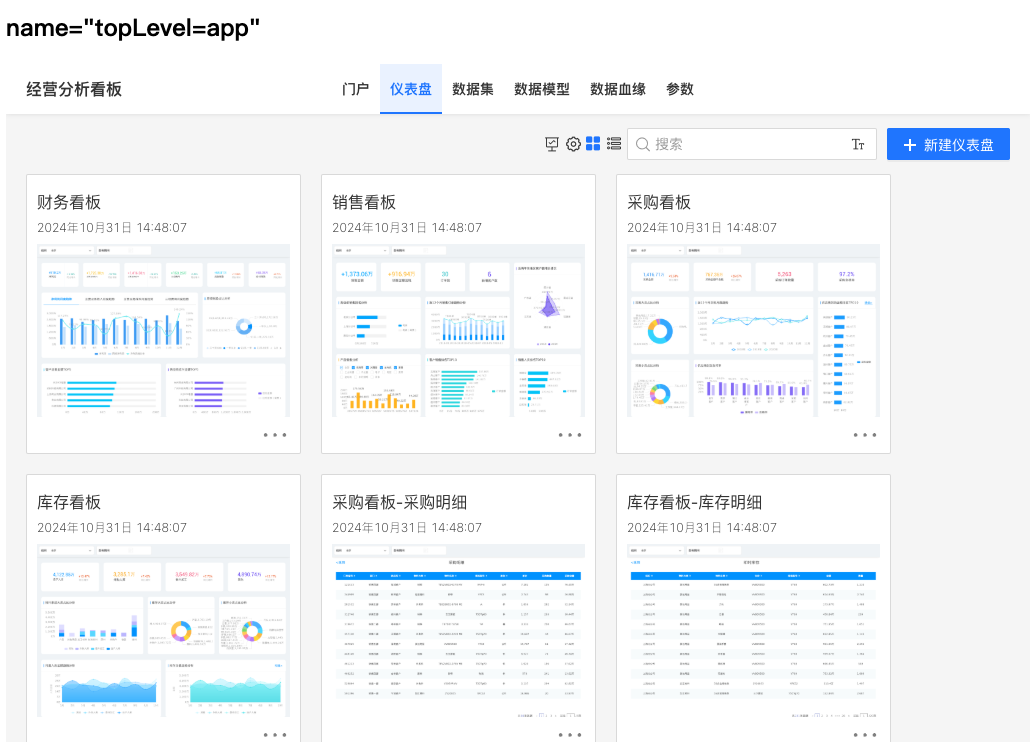
Embed a Single Folder
Use name="topLevel=folder/<id>" to embed all functionalities within a specific folder.
<iframe
  name="topLevel=folder/123456"
  src="https://preview.hengshi.com/folder/123456">
</iframe>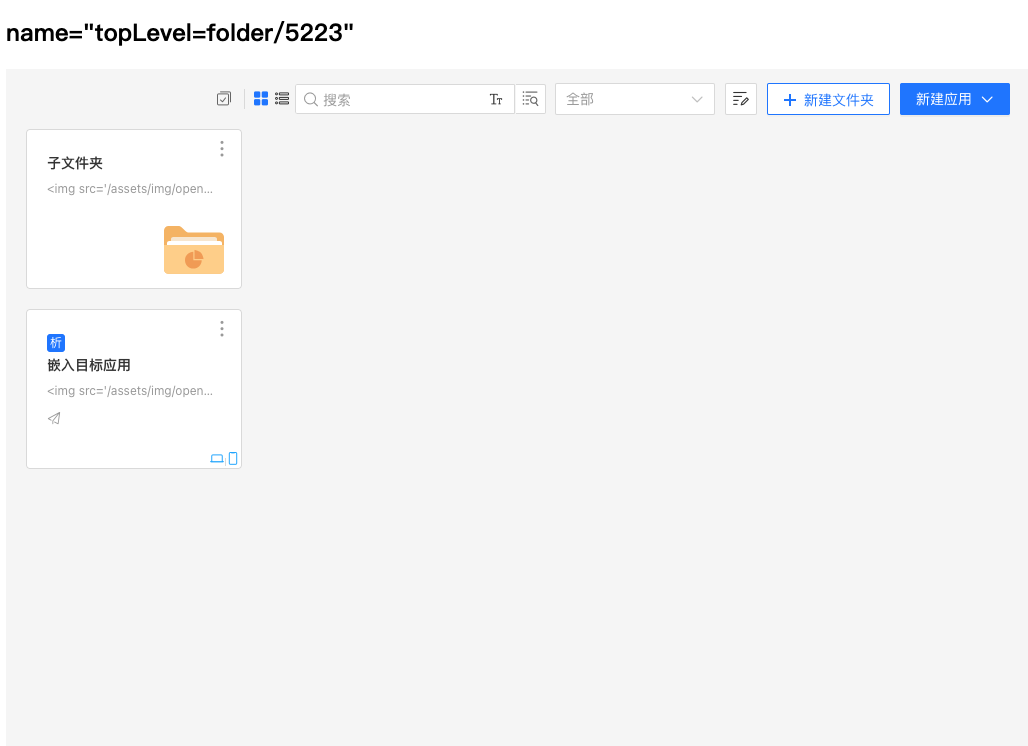
What does topLevel represent?
topLevel represents the top level of the embedded connection. Suppose your embedded connection is a specific app (e.g., https://preview.hengshi.com/app/123456), then when topLevel=system, a back button will always be present in the top left corner of the page, allowing you to navigate all the way back to the top-level page of the platform system (/home). Other values follow the same logic.
More Parameters
In addition to topLevel, we also provide some other parameters that, when used in conjunction with topLevel, allow for more flexible display/hiding of HENGSHI SENSE features.
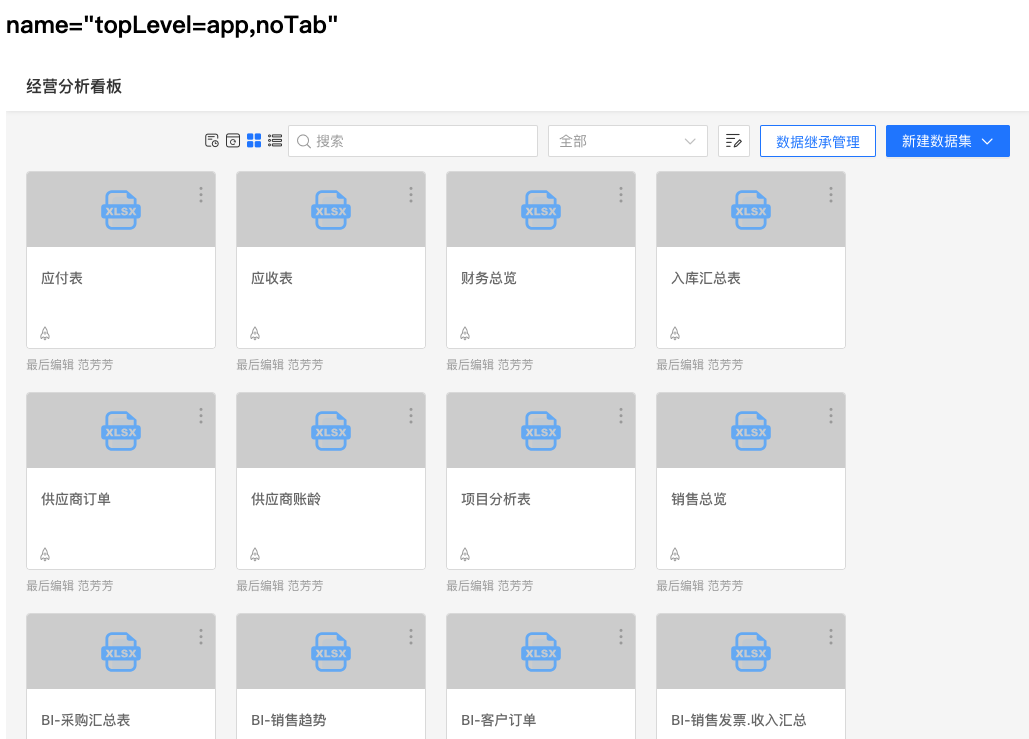
name="noSidebar": Hides the left directory tree.name="noTab": Hides the top tabs. For example, when embedding a single application, hiding the tabs allows you to embed specific modules within the application, such as embedding only the dashboard list of a single application<iframe name="topLevel=app,noTab" src="https://preview.hengshi.com/app/123456/dashboard" />.name="noBack": Hides the back button.
Example: Embed a Single App Dataset List
<iframe
  name="topLevel=app,noTab"
  src="https://preview.hengshi.com/app/123456/dataset">
</iframe>