

Customization Guide for Embedded Page Styles
After creating Dashboards and Charts using the HENGSHI SENSE platform, you can embed them into existing systems via iframes. To achieve a unified style, embedding iframes supports a variety of customization options.
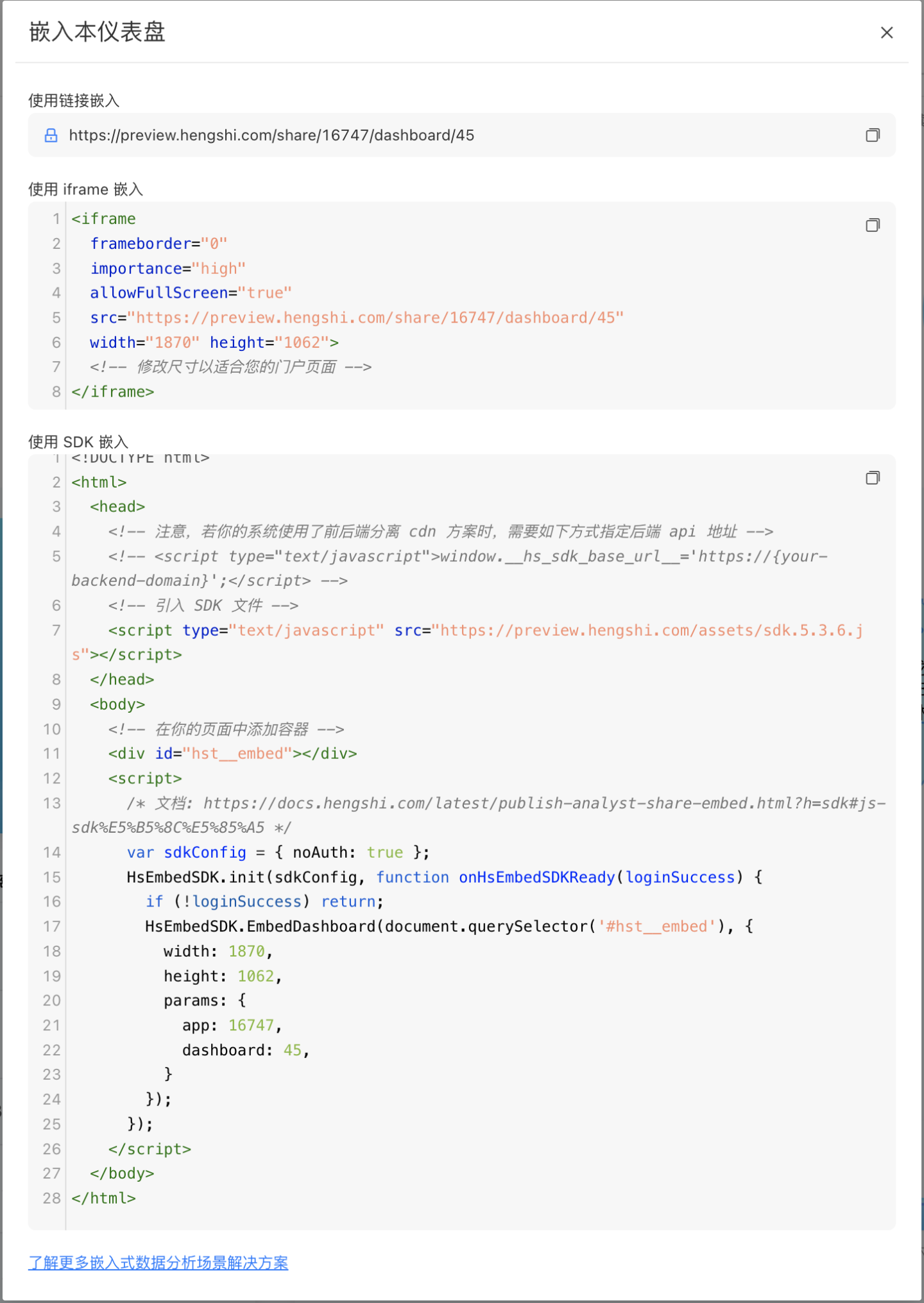
Customize the iframe of the Dashboard
Parameter List
The following parameters are supported when embedding a dashboard.
| Parameter Name | Parameter Function | Parameter Type | Parameter Value |
|---|---|---|---|
| copyright | This parameter controls the display status of the dashboard header and footer. | Boolean | Parameter values: true: Display header and footer, default is true. false: Do not display header and footer. |
| header | This parameter controls the display status of the dashboard header. | Boolean | Parameter values: true: Display header, default is true. false: Do not display header. |
| pager | This parameter controls the display status of the dashboard pager. | Boolean | Parameter values: true: Display pager, default is true. false: Do not display pager. |
| scrollable | This parameter controls the scrolling behavior within the dashboard. | Boolean | Parameter values: true: Supports scrolling within the dashboard, default is true. false: Does not support scrolling within the dashboard. |
| chartAccessible | This parameter controls the chart interaction behavior within the dashboard. | Boolean | Parameter values: true: Supports opening charts for interaction, default is true. false: Does not support opening charts for interaction. |
| background | This parameter sets the background color of the dashboard. If the dashboard theme has already set a background color, this parameter will not take effect. | String | Parameter value format: rgba(255,255,255,1). |
| wrapperBackground | This parameter sets the background color of the parent div element of the dashboard, which can override the dashboard theme background color. | String | Parameter value format: rgba(255,255,255,1). |
| chartTitleColor | This parameter sets the color of chart titles within the dashboard. It applies to all chart titles within the dashboard (excluding filters). Use with caution. | String | Parameter value format: rgba(255,255,255,1). |
| chartGap | This parameter sets the spacing between charts within the dashboard. | String | Parameter value should include pixel information, e.g., 10px. |
Common Embedding Questions
1. How do I show the embedded page in English or another language?
Append the locale parameter to the embed URL, for example:
?locale=en-US?locale=zh-CN?locale=zh-TW
This is especially useful for multilingual portals, OEM scenarios, or any host system that needs the embedded page to follow the host language.
2. How do I trigger fullscreen from the host page?
In a standard iframe embedding scenario, call fullscreen directly from the host page:
const iframe = document.querySelector('iframe');
iframe.requestFullscreen();This lets the customer's own page controls switch the embedded dashboard into fullscreen mode.
3. How do I refresh the dashboard externally without rebuilding the iframe?
If the host page keeps multiple iframes cached and you do not want to recreate them when switching back, trigger a dashboard refresh with postMessage:
const iframe = document.querySelector('iframe');
iframe.contentWindow.postMessage(
  JSON.stringify({
    event: 'dispatchCustomEvent',
    data: ['hs_dashboard_refresh', {}],
  }),
  '*',
);For more events, see Embed Interaction Events.
4. What should I do if I hit cross-domain issues?
Use one of these recommended deployment patterns first:
- Deploy HENGSHI and the host system under the same main domain, using a sub-path or reverse proxy, for example
https://example.com/bi. - Deploy HENGSHI as a dedicated HTTPS domain such as
https://bi.example.com, and configure the Base URL and reverse-proxy headers correctly.
For SSO or proxy scenarios, make sure headers such as X-Forwarded-Host and X-Forwarded-Proto are forwarded correctly. See Third-Party Software Configuration FAQs for related proxy guidance.
The following are deprecated parameters in the dashboard embedding scenario.
| Parameter Name | Parameter Function | Parameter Type | Parameter Value | Deprecation Notes |
|---|---|---|---|---|
| padding | This parameter sets the inner padding of the dashboard. | String<number> | Example value: 0 0 0 0 | This parameter is no longer supported. |
| chartBackground | This parameter sets the background color of chart controls. | String | Example value: rgba(255,255,255,1) | This parameter is no longer supported. |
| chartPadding | This parameter sets the inner padding of charts. | String<number> | Example value: 0 0 0 0 | This parameter is no longer supported. |
| borderRadius | This parameter sets the border radius of chart controls. | String | Example value: 2px | Follows the dashboard theme settings. |
| borderWidth | This parameter sets the border width of charts. | String | Example value: 1px | Follows the dashboard theme settings. |
| borderColor | This parameter sets the border color of charts. | String | Parameter value format: rgba(255,255,255,1) | Follows the dashboard theme settings. |
| borderStyle | This parameter sets the border style of charts. | String | Options: solid, dashed, dotted | Follows the dashboard theme settings. |
| filterPadding | This parameter sets the inner padding of filters. | String<number> | Example value: 0 0 0 0 | This parameter is no longer supported. |
Example
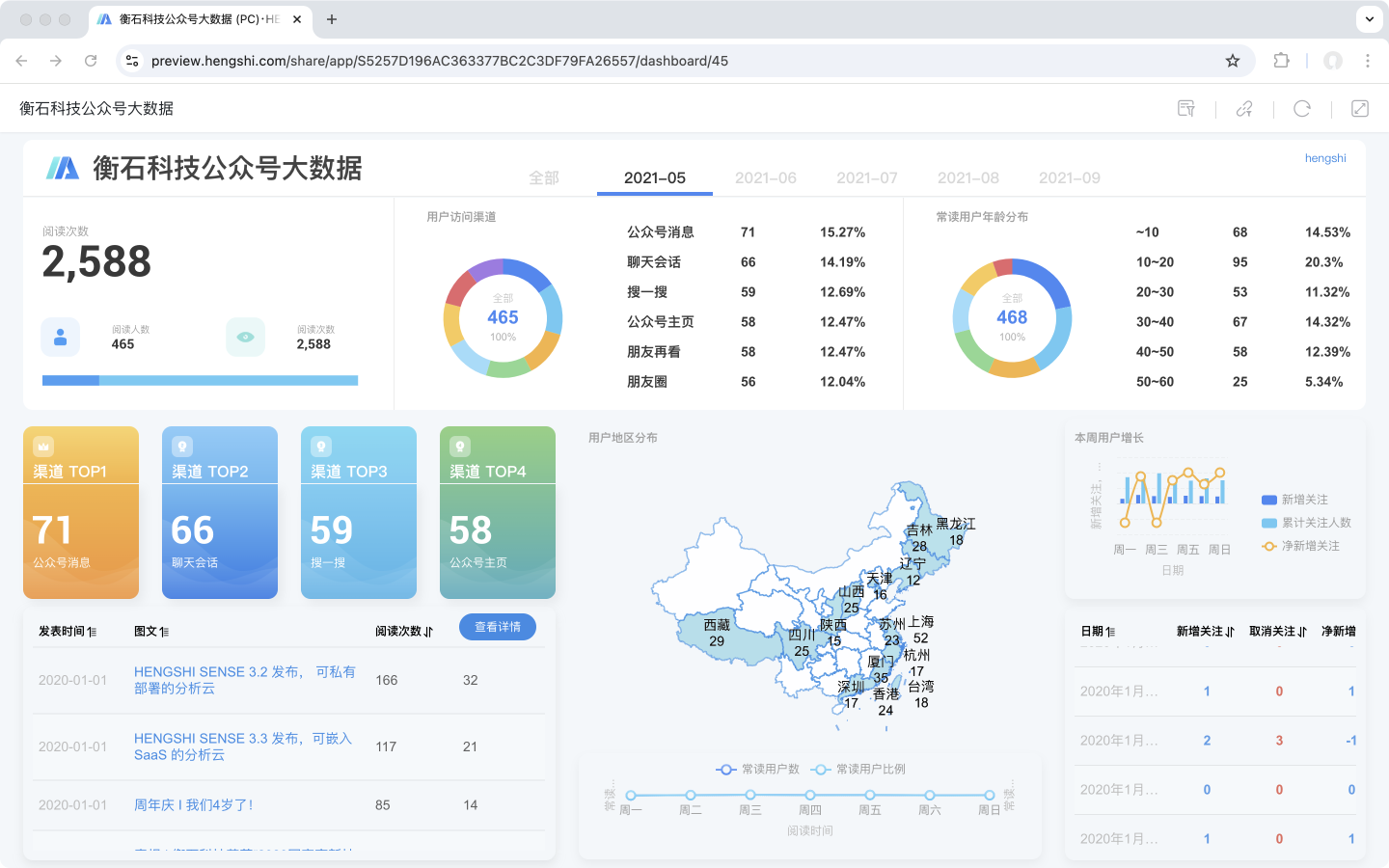
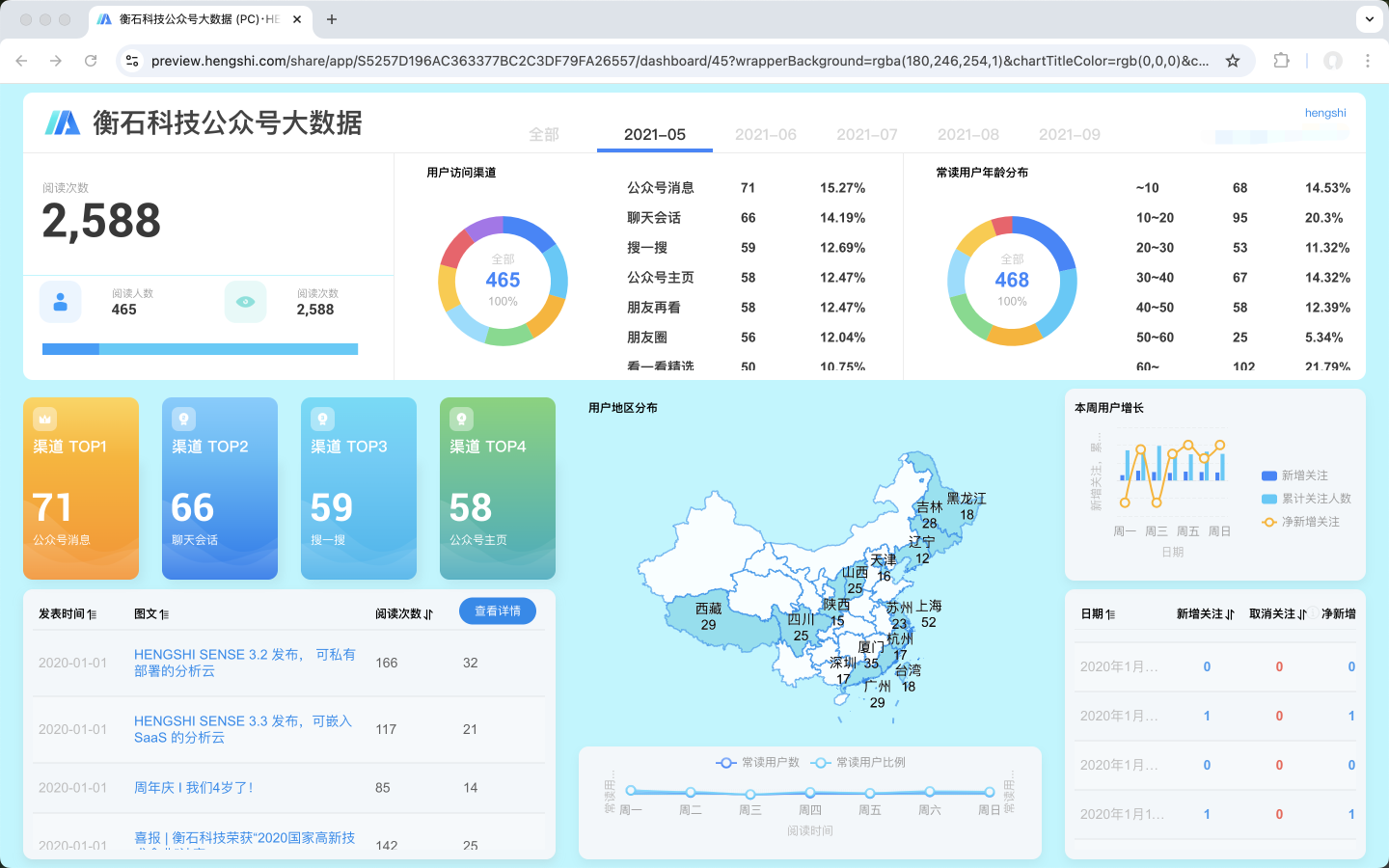
As shown in the dashboard below, the background color and chart title color are modified when embedding it.
Original dashboard link and style:
https://preview.hengshi.com/share/app/S5257D196AC363377BC2C3DF79FA26557/dashboard/45
Embedded dashboard link and style: https://preview.hengshi.com/private/share/E454FF2E910B7B9445C8F66391B25CCA/dashboard/EC0E826AB75FD2AA2C3D755CF8374DD6C?wrapperBackground=rgba(180,246,254,1)&chartTitleColor=rgb(0,0,0)©right=false&scrollable=false
Customize the Chart iframe
Parameter List
The following parameters are supported when embedding a chart.
| Parameter Name | Parameter Function | Parameter Type | Parameter Value |
|---|---|---|---|
| showAction | This parameter configures the interaction button in the top-right corner. | Boolean | Parameter values: true: Displays the interaction button in the top-right corner (default is true). false: Hides the interaction button in the top-right corner. |
| chartPadding | This parameter sets the chart's inner padding. | String<number> | Example parameter value: 0 0 0 0. |
The following parameters are deprecated and no longer supported.
| Parameter Name | Parameter Function | Parameter Type | Parameter Value | Deprecation Notes |
|---|---|---|---|---|
| noFilter | This parameter controls whether to display filters. | Boolean | Parameter values: true: Displays filters (default is true). false: Hides filters. | Filters are no longer supported when embedding charts. |
| titleColor | This parameter sets the chart title color. | String | Example parameter value: rgba(255,255,255,1). | Chart titles are no longer displayed when embedding pages. |
| chartBackground | This parameter sets the chart background color. | String | Example parameter value: rgba(255,255,255,1). | The chart background color will be overridden by the theme background color used by the chart. |