

Workflow Debugging
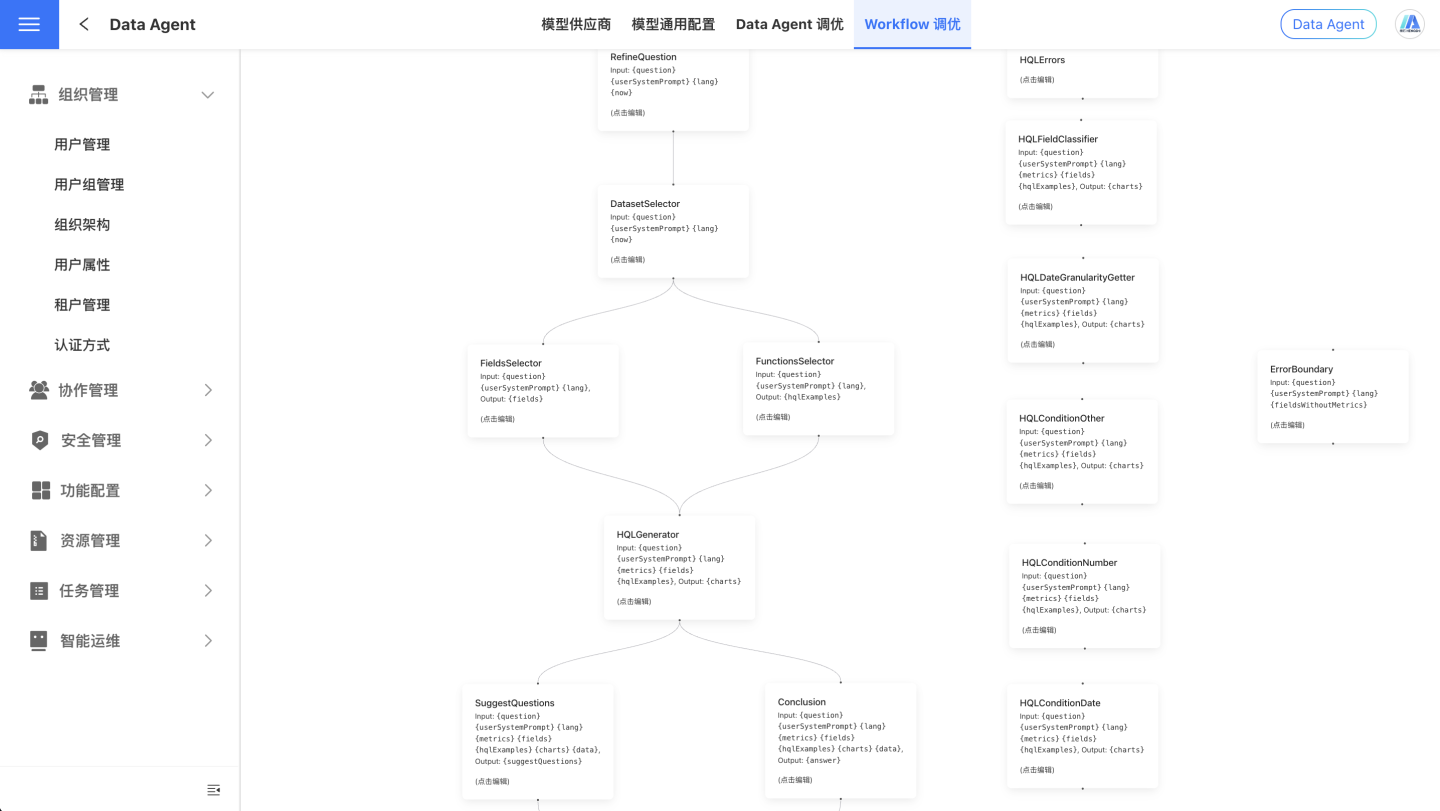
On this page, we publicly display the workflow in workflow mode, where each node is an editable prompt. Additionally, you can directly interact with the Data Agent on this page, making it convenient for troubleshooting.
Note
Instructions directly affect the agent's behavior, so proceed with caution.
UserSystem Prompt
Large models possess a vast amount of general knowledge, but for specific businesses, industry jargon, and proprietary knowledge, prompts can enhance the model's understanding.
For example, in the e-commerce field, terms like "big promotion" and "hot-selling item" may not have clear meanings to the model. By using prompts, the model's understanding of these terms can be improved.
A large model might typically interpret "big promotion" as a large-scale promotional activity conducted by merchants or platforms during a specific time period. Such activities are often concentrated around shopping festivals, holidays, or themed days, such as "Double 11" or "618."
If you want the model to accurately understand the meaning of "big promotion," you can explicitly define it in the prompt as referring to events like Double 11.
Tip
This instruction is the same as the Industry and Proprietary Instructions in Agent mode.
Conclusion Prompt Answer Summary Prompt
After the Data Agent retrieves data based on the user's query, the large model will use this prompt to summarize the query results and answer the question.
The system's default summary prompt is relatively basic. You can modify it to better fit the actual scenarios according to your business needs, making it more closely aligned with your company's operations.
SuggestQuestions Prompt Recommended Question Prompts
The system's default recommended question prompts are relatively basic. You can modify them to align more closely with actual scenarios based on your business needs, creating question recommendation logic that is specifically relevant to your company's business.