

Responses model profiles
Applies to Data Agent in HENGSHI SENSE 7.0. The service uses Responses API profiles instead of the former Chat Completions provider list or Workflow model parameters.
Create and verify
- Open System settings → Feature configuration → Data Agent → Model configuration as an administrator.
- Create a profile with a name, Responses base URL, model, API Key, authentication header/prefix, reasoning effort, and timeout.
- Test the model connection to verify server connectivity and execution.
- Save and activate the profile to use as the default in the current management scope. Multiple profiles can be saved, but only one default is active per scope. The first profile activates automatically.
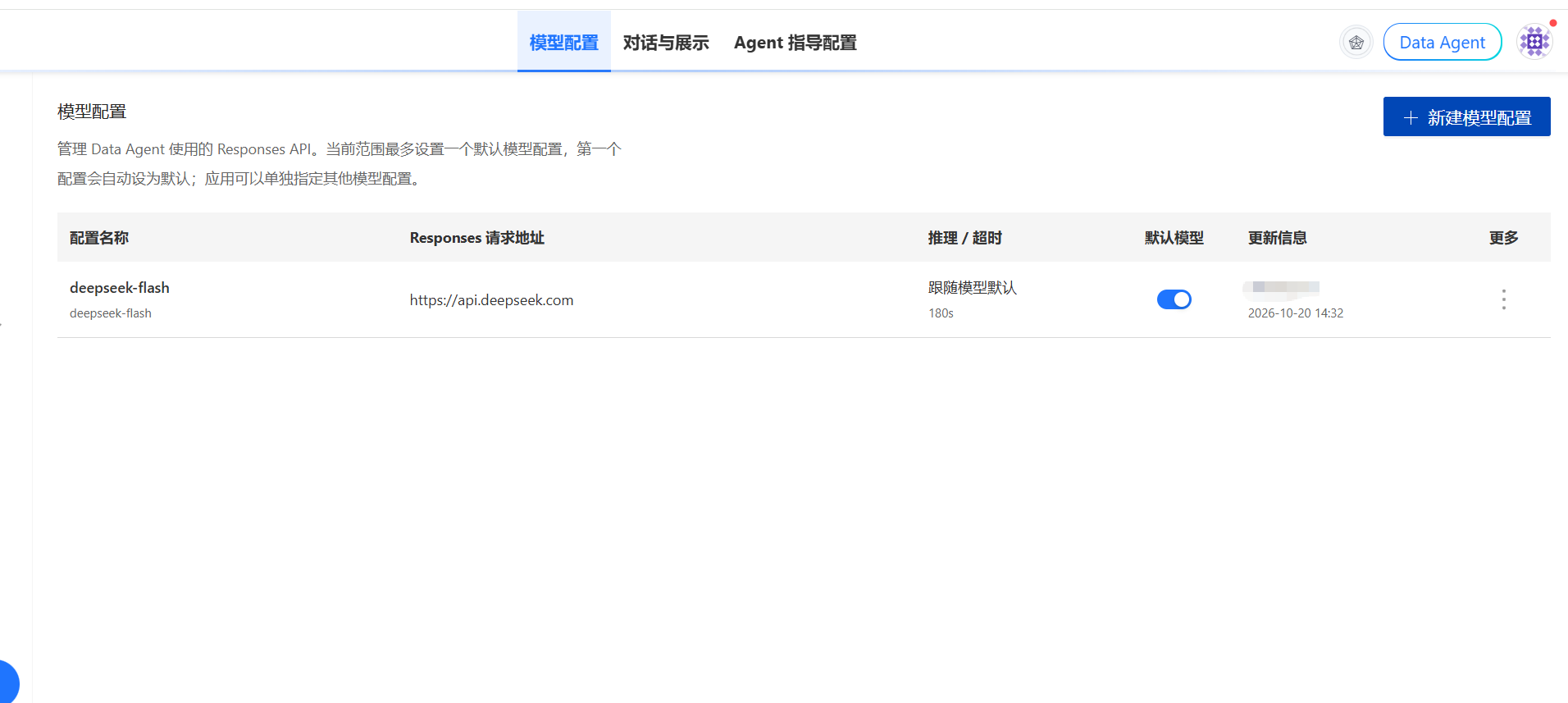
Manage saved profiles in the list; the default toggle controls the scope default, while applications and data packages can bind their own profile. The model and URL in the screenshot are examples only.
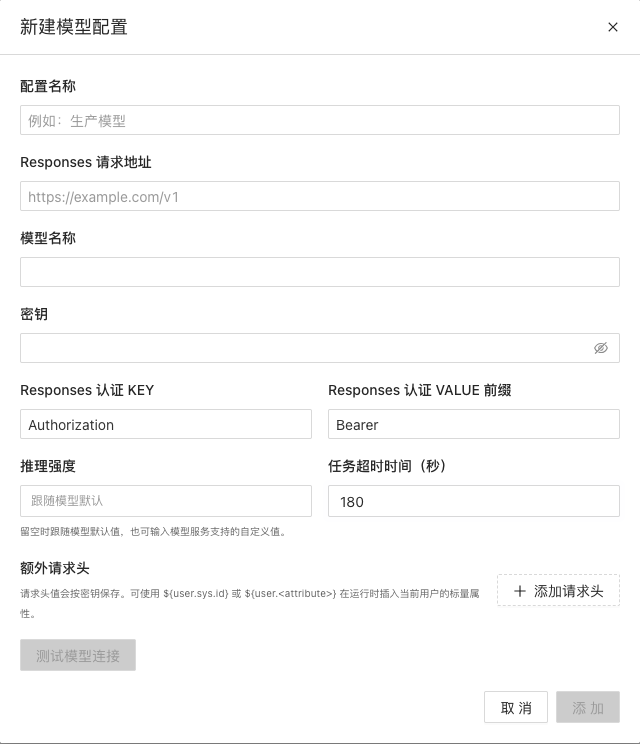
The Chinese UI shows an unfilled profile form with no real secret. Enter the settings required by your model service, then test the connection and save.
| Field | Requirement |
|---|---|
| Responses base URL | HTTP(S) endpoint supporting Responses, using a fully qualified domain name, not an IP or single-label host; use the provider's base URL |
| Model | Actual model identifier available to the service |
| API Key | Required credential with model access; stored on the server |
| Authentication header / prefix | Defaults Authorization / Bearer; adjust to the service |
| Reasoning effort | Model default or a value actually supported by the model |
| Timeout | 1–3600 seconds; default 180 |
| Extra request headers | Optional headers sent with the model request. Values support ${user.sys.id} and ${user.<attribute>}, resolved to the current user's attributes at runtime; header values are stored as secrets |
A Chat Completions-only or other generation endpoint cannot directly serve as a Responses profile. A successful connection does not guarantee correct business answers; validate data and permissions too.
See Model selection and scenario evaluation for tested configurations, first-attempt results, scoring rules, and scope.
Application and data package binding
Select a Data Agent profile in application/data package settings, or inherit the current tenant default. Binding is at application/data package level, not individual dataset level.
A new conversation records the resolved model profile identity and revision; revision is audit metadata only. Each later turn reads the current profile by that identity, so changes to the model, timeout, or reasoning effort take effect on the next turn; a running turn keeps the settings resolved when it started. If the profile is disabled or unavailable, later turns may fail. History remains readable; restore a valid profile or create a new conversation to continue. An explicit unavailable binding does not fall back to the default.
When a subject references multiple applications, they must resolve to one model profile. Resolve binding conflicts before starting a conversation. Check defaults and bindings before deactivating/deleting profiles; an active profile must be deactivated before deletion.
Connection troubleshooting
Check Responses support, domain/TLS, server network access, model name, credentials, reasoning parameters, and timeout. Retain the verification error and request identifier without exposing real secrets in screenshots or shared logs.