

Runtime Skills
Applies to HENGSHI SENSE 7.0. Administrators upload Runtime Skill ZIPs to extend industry knowledge, business methods, and tool guidance. Skills load in the server-side Agent runtime; data access and operation permissions follow the platform configuration.
Prepare an archive
Use lowercase letters, digits, and hyphens for a skill ID, starting and ending with a letter or digit, up to 64 characters. Versions use letters, digits, dots, underscores, or hyphens, start with a letter or digit, and are up to 64 characters.
The ZIP contains a directory named after the skill ID, with SKILL.md inside it:
sales-analysis/
  SKILL.md
  references/
metric-definitions.mdExample SKILL.md:
---
name: sales-analysis
description: Sales review metric definitions and analysis steps
---

# Sales analysis

Confirm scope, time window, and sales amount definition first.
Average order amount is total sales divided by distinct order count.
State time, units, and query sources in the conclusion.Upload quotas and directory rules
Upload validation uses these quotas:
| Item | Quota |
|---|---|
| Compressed ZIP size | Up to 10 MB |
| Expanded archive size | Up to 32 MB |
| Individual file size | Up to 4 MB |
| ZIP entries | Up to 256 |
| Skills | Up to 20 |
| Versions per skill | Up to 10 |
| Active skills | Up to 10 |
Use the skill ID as the first directory segment and relative paths for files. The archive is intended for Markdown, text, and business reference material; keep credentials in platform Secrets. hbi-chatbi, hbi-data-agent-authoring, and hql-expert are platform-reserved skill IDs; choose another ID for a customer skill.
Upload, activate, and roll back
As a platform administrator, open System settings → Feature configuration → Data Agent → Agent Guidance and use the Runtime Skills section.
Upload the ZIP, enter the matching skill ID and version, and check validation.
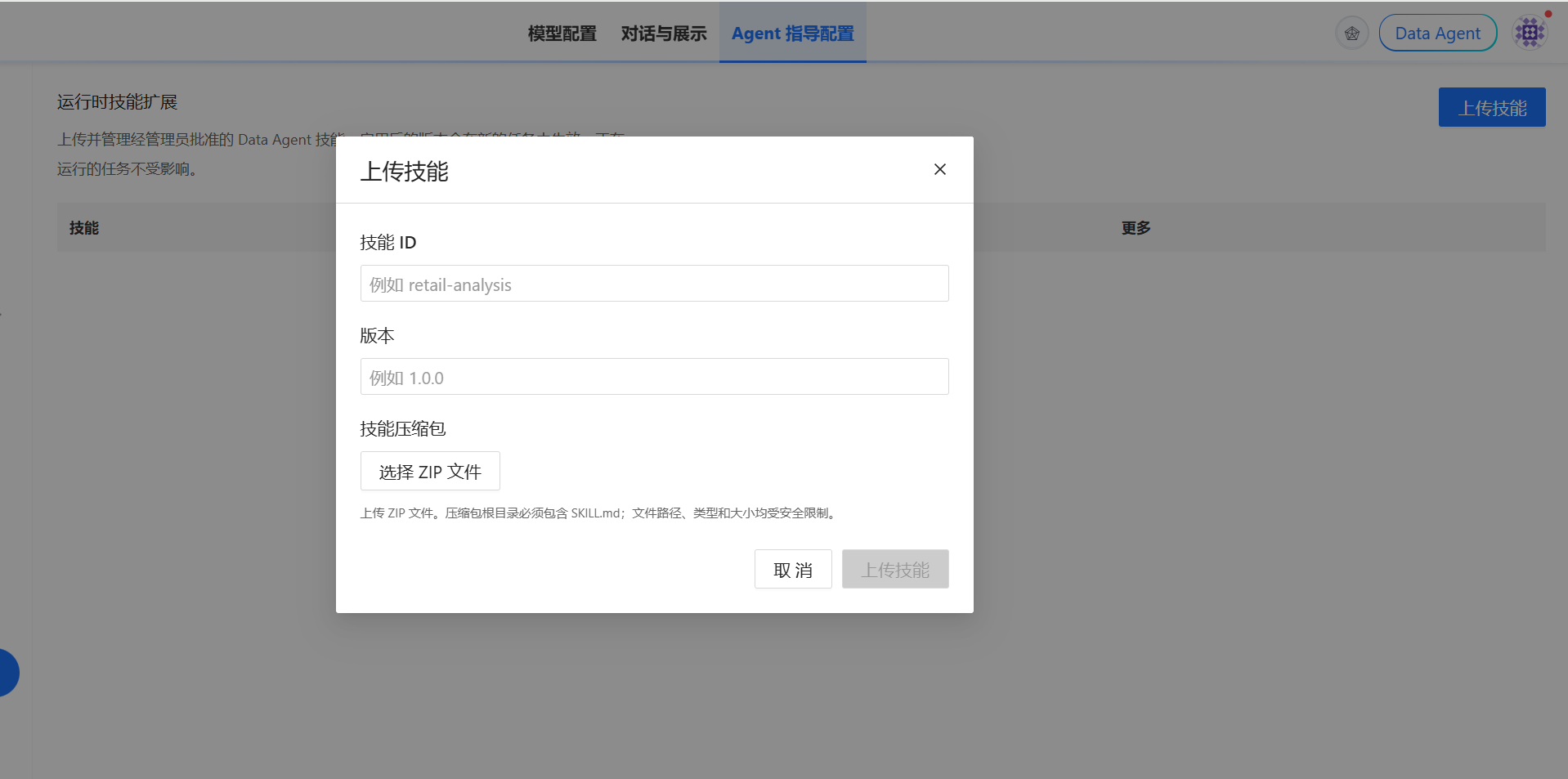
Keep the skill ID identical to the ZIP root directory name; use your organization's release rules for the version.
Activate the required version. A new version can replace the previously active version of that ID.
Verify controlled questions before wider use.
To roll back, deactivate the new version and activate a retained older version. Deactivate a version before deletion.
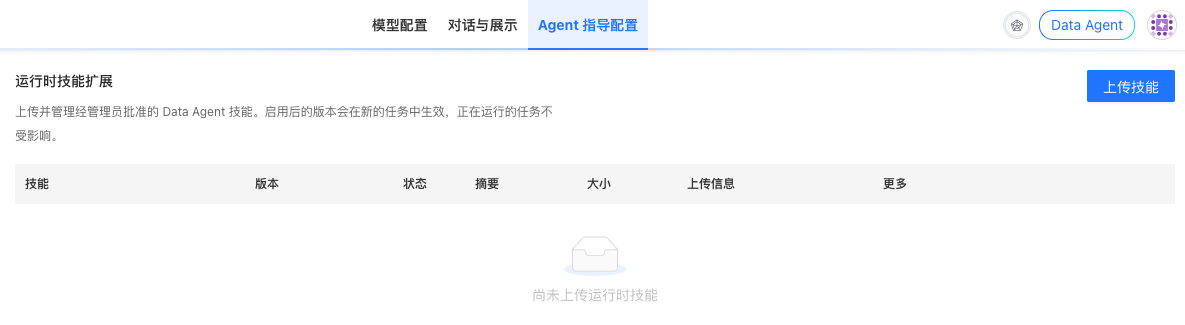
In the Chinese UI shown, open Agent 指导配置 (Agent Guidance) and select 上传技能 (Upload skill). The screenshot shows the pre-upload list; use it to manage versions and activation after uploading.
Each new task receives the active skill snapshot at startup; later configuration changes take effect in new tasks. Skills guide authorized tools and resource operations, while confirmation policy follows the platform rules.
Migrate from earlier versions
Legacy Data Agent tuning prompts and Workflows are not converted automatically into 7.0 Runtime Skills. Export or back up custom content before upgrading, and record the owning business, data scope, rule owner, and representative questions.
| Legacy content | Upgrade preparation | Post-upgrade confirmation |
|---|---|---|
| Business definitions, metric explanations, analysis steps | Keep the rules that still apply, assign an owner and scope, and express them as executable skill instructions and reference material | Upload and activate as a Runtime Skill, then verify answers and tool results with representative questions |
| Workflow nodes, order, and automated actions | Back up node configuration, inputs/outputs, external side effects, and failure handling; separate Agent guidance from process execution | Guidance can become a skill; external writes, approvals, and orchestration require separate validation in the target integration |
| Page presentation and welcome text in legacy prompts | Separate it from business guidance and note the interaction experience that must be kept | Manage it through 7.0 conversation and presentation configuration, not as Runtime Skill content |
Do not copy years of accumulated prompts wholesale. Add the applicable data scope, metric definitions, boundary conditions, and at least one representative question to each key rule. After activating a skill, verify it in a new conversation; if the result is wrong, revise the skill and retest.
See presentation and templates for analysis templates and welcome text.